


Ribbon Import Landed-Cost RFQ Checklist for Bulk Buyers
Ribbon Import Landed-Cost RFQ Checklist for Bulk Buyers — review artwork files, print method, color target, and MOQ so your quote comparison reflects

Two ribbon quotes eight percent apart on unit price can invert once the goods land. The difference sits in roll dimensions, pieces per carton, whether a pallet is required, and how the goods are classified for duty, none of which appear on the price line being compared.
Ribbon is low density cargo, so ocean freight is normally billed on volumetric weight rather than actual weight. That makes cartons per cubic metre a larger lever on landed cost than the per yard price buyers often negotiate hardest.
The checklist below brings supplier price, freight, duty, clearance, and inland delivery onto one basis, and lists the dimensional and weight fields to request alongside the quotation so the comparison holds.
Direct answer: Landed cost is the supplier price plus freight, duty, clearance, insurance, and inland delivery to the named destination. Because ribbon is billed on volumetric weight, request carton dimensions, cartons per pallet, and gross weight alongside the unit price, then rebuild every quote on the same Incoterm before comparing.
Copy this ribbon import landed-cost RFQ approval record into the RFQ file. Keep every checked item on the same revision before releasing the order.
- ☐ Ribbon material, width, color target, and packing format
- ☐ Artwork revision, print method, placement, and repeat
- ☐ Approved sample, production reference, and exception notes
- ☐ Quantity, schedule, quote assumptions, owner, and approval date
Move the ribbon import landed-cost RFQ order forward only when each gate leaves written evidence for the next. Return an unresolved specification, sample, or quote exception to its owner before bulk production.
Define the landed-cost comparison basis
| Cost driver | What changes it | Quote signal | Risk to avoid | Buyer action |
|---|---|---|---|---|
| Material specification and width tolerance | Material grade, width, and print method affect setup waste and dye lot continuity | Supplier states material type, width tolerance, and print method in RFQ response | Mismatch in width or color code triggers sample rejection or reorder drift | Verify material spec and width against approved spec sheet before quoting; request written proof |
| MOQ and order quantity | MOQ type (per design, per color, per size) and quantity breaks affect unit price and shipment feasibility | Supplier confirms MOQ category and quantity tiers in RFQ | Ordering below MOQ triggers split shipments or minimum charges | Verify MOQ category against approved product type and confirm by RFQ; request pricing for at least two volume tiers |
| Lead time and production slot | Lead time depends on spec confirmation, artwork approval, sample approval, and current production capacity | Supplier states lead time in business days after specifications confirmed, and production slot availability | Inaccurate lead time causes stockouts, expedited shipping costs, or missed season | Confirm lead time in RFQ, factor in sample approval and shipping time; use 15-20 business days as baseline, but confirm per RFQ |
| Print method and setup complexity | Number of colors, print method (silk screen, hot stamp, digital), and setup complexity affect tooling and setup costs | Supplier itemizes setup and tooling costs per design in quotation | Unlisted setup costs cause surprise charges at sample approval stage | Request written setup and tooling costs per design before signing; include in RFQ comparison table |
| Quality control and sample approval | Sample approval process, QC inspection criteria, and rework rate affect landed cost and production timeline | Supplier provides sample approval record, QC pass/fail criteria, and rework rate in RFQ or sample document | Sample approval without documented QC evidence leads to production drift and reorder inconsistency | Request sample for color and finish check against approved shade card; document sample approval record and QC evidence before bulk order release |
For material specification and width tolerance, a poor decision can mean mismatch in width or color code triggers sample rejection or reorder drift. Request written proof and compare it with the approved sample or specification, then verify material spec and width against approved spec sheet before quoting; request written proof. For MOQ and order quantity, a poor decision can mean ordering below MOQ triggers split shipments or minimum charges. Request written proof and compare it with the approved sample or specification, then verify MOQ category against approved product type and confirm by rfq; request pricing for at least two volume tiers. For lead time and production slot, a poor decision can mean inaccurate lead time causes stockouts, expedited shipping costs, or missed season. Request written proof and compare it with the approved sample or specification, then confirm lead time in rfq, factor in sample approval and shipping time; use 15-20 business days as baseline, but confirm per rfq.
For the material specification and width tolerance checkpoint in ribbon import landed-cost RFQ, keep the supplier response, marked sample, approved specification, quotation, and approval owner under the same revision number. If the evidence conflicts with the approved record, hold the quote, sample, or production release until the deviation is explained in writing. Carry the signed decision record into the purchase order, production handoff, shipment release, and later reorder review so every team works from the same baseline.
Break down the supplier quotation
- Supplier cannot provide recent ribbon order references or factory capability summary. Inexperience with custom printed ribbon leads to print misalignment, color mismatch, and shipment delays. Request written capability statement listing substrates, print methods, and last three shipment volumes. Factory capability document with order records and client references. Verify supplier capability before adding to shortlist.
- No QC check points documented for color, finish, or packing before production release. Off-spec product causes rework cost, missed launch dates, and customs rejection. Demand a written QC plan with inspection stages and acceptance criteria. Signed quality control checklist from supplier. Approve QC plan and attach to purchase order.
- Supplier starts bulk production without signed sample approval record. No baseline to reject defects; entire batch may be unusable. Hold production until sample is approved in writing with shade card and artwork sign-off. Approved sample form with shade reference and artwork placement. Document sample approval and carry into production handoff.
- Supplier cannot show how landed cost components (freight, duty, brokerage) were estimated. Hidden fees or incorrect duty rate cause budget overrun and customs delays. Ask for itemized landed cost breakdown with carrier and tariff quotes. Written cost estimate with assumptions for each leg. Compare supplier estimate with destination customs calculation.
Review foil printed ribbon before finalizing supplier questions and proof requests.
Review custom printed ribbon before finalizing supplier questions and proof requests.
RFQ checkpoint
Confirm the route, specs, proof requirements, and quote step before sampling ribbon import landed-cost RFQ.

Model freight, duty, and import costs
Without accurate shipment dimensions and weight, freight quotes become unreliable, directly impacting your landed cost and budget. Request packed carton dimensions and gross weight per unit in your RFQ to calculate chargeable weight. This single step removes guesswork and gives you a solid basis for comparison.
Use shipment dimensions and weight
Specify that the supplier provides length, width, height, and gross weight per master carton. Use these to determine volumetric weight – the higher of actual or volumetric weight becomes chargeable. Include this data in the RFQ so freight forwarders can quote precisely.
Record tariff and broker assumptions
Identify the correct HS code (e.g., 5806 for narrow woven fabrics) and duty rate for your destination. Document broker fees – flat or percentage – plus any port or inspection charges. Ask the supplier to confirm HS code and country of origin in the RFQ. This ensures tariff calculations are based on facts, not assumptions.
Use the following flowchart to structure your RFQ approval process:
| Step | Description | Action |
|---|---|---|
| 1 | Collect shipment dimensions and weight from supplier | Include in RFQ |
| 2 | Determine HS code and duty rate | Confirm with supplier |
| 3 | Get freight quote using chargeable weight | Compare quotes |
| 4 | Add broker fees and taxes | Calculate total landed cost |
| 5 | Review RFQ packet for completeness | Approve or revise |
By following these steps, you ensure every landed-cost variable is documented before committing to a supplier.
For more on packaging solutions, see our gift retail packaging guide.
See foil printed ribbon for model freight, duty, and import costs.
Compare scenarios instead of unit price
When evaluating custom printed ribbon import landed cost, do not compare unit prices alone. Instead, define a decision rule: select the supplier whose total landed cost for your actual volume and shipping method is lowest, after factoring in delay and rework exposure.
Test volume and shipping alternatives
Request RFQ pricing for at least two volume tiers—for example, your expected annual order and a trial batch. For each tier, ask for both air and sea freight quotes. This lets you compare scenarios: a higher unit price with fast, reliable air freight may yield lower total landed cost than a low unit price with slow sea freight that risks stockouts.
Add delay and rework exposure
Ask each supplier to confirm their typical lead time and rework rate for custom printed ribbon. Then calculate the cost of a one-week delay (e.g., lost sales, expedited shipping) and a rework percentage (e.g., color mismatch). Include these as line items in your RFQ comparison table.
| Scenario | Unit Price | Shipping | Delay Cost | Rework Cost | Total Landed Cost |
|---|---|---|---|---|---|
| High volume, sea | $X | $Y | $Z | $W | $Total |
| Low volume, air | $X | $Y | $Z | $W | $Total |
By comparing full scenarios, you avoid hidden costs and select the option that fits your risk tolerance and budget. Confirm these variables with each supplier before placing a sample order.
Before comparing suppliers, review gift and retail packaging ribbon solutions for the related product or solution route.
Send a quote-ready landed-cost RFQ
Sending a complete, quote-ready RFQ locks every variable and accelerates supplier comparison. This checklist helps bulk buyers submit a packet that yields comparable, landed-cost-aware quotes.
- Product specifications: fabric type, width, printing method, color count, and finishing (e.g., hot cut, wire edge).
- Order details: total quantity per design, roll length, packaging format (e.g., rolls per case).
- Shipping parameters: target incoterm (e.g., FOB, CIF), destination port, and preferred freight mode.
- Sample requirements: number of strike-off or production samples, approval deadlines, and who bears sample cost.
Additional RFQ items include compliance and documentation: any certifications, declarations, or material data sheets required for customs clearance.
Add a normalization line to the comparison sheet for every inclusion, exclusion, currency, and Incoterm. If a quotation excludes inland trucking, clearance, or another cost component, record the exclusion and request the missing amount instead of presenting an assumed total as landed cost.
The RFQ should also cover RFQ submission: Return itemized quote; Sample review: Ship pre-production sample; Order placement: Issue proforma invoice.
Use this RFQ checklist to reduce revision cycles and land at a true landed cost before committing to a bulk order.
Source check: Landed Cost Analysis Model for True Import Cost Comparison; How to Calculate Landed Cost in Procurement: Complete Guide for….
- Cost breakdown table: compare printed ribbon import landed cost rfq quotes by specification, material, customization, development, packing, quantity, inspection, and freight assumptions.
- send the product specification, reference files, target quantity, branding or packing inputs, sample requirement, and delivery terms in the same RFQ.
- Red flag list: pause printed ribbon import landed cost rfq quotes that hide development, sample, tooling, lead-time, quality, or reorder assumptions behind one unit price.
- Supplier capability context: verify the RFQ against satin ribbon, grosgrain ribbon, organza ribbon, velvet ribbon, metallic ribbon so the buyer compares the right production route.
In conclusion
The final approval for your custom printed ribbon import landed cost RFQ occurs when every cost driver and supplier capability check is documented and aligned under a single revision number. Compare each supplier’s written response against your approved specification, sample approval record, and quotation assumptions. Verify that the material, width, print method, and roll length match the approved sample, and that the MOQ, lead time, and freight method are recorded as agreed. Only when the specification, sample, quote, and QC evidence are consistent should you approve the sample and release the bulk order. This sequence prevents drift from quote to production to reorder, locking in the landed cost you planned.
To approve a sample, visit MOQ and lead time and confirm the final specification, quote assumptions, sample approval, QC evidence, approval risk, and supplier follow-up before bulk order.
Frequently Asked Questions
What belongs in a ribbon landed-cost calculation?
The landed-cost calculation includes the product price, freight, insurance, duty, broker fees, and inland haulage, plus any port or inspection charges. Confirm the ribbon specification—material, width, print method, and roll length—in your RFQ, and request packed carton dimensions and gross weight to calculate chargeable freight. Verify the supplier’s HS code and country of origin, then document the duty rate assumption. Request a sample to check color and finish against your approved shade card, and follow up to ensure all cost components are itemized separately.
Which Incoterm details change quote comparability?
The Incoterm determines who pays for freight, insurance, and duty, so comparing quotes under different Incoterms requires normalizing each cost line. Specify the Incoterm in your RFQ—for example, FOB, CIF, or DDP—and request separate line items for each component to avoid hidden costs. Verify that the supplier’s quotation includes all exclusions, and document the risk of assuming a single all-in freight number. Follow up by asking for the missing amount and request a sample to confirm the ribbon matches the quoted specification.
How should buyers handle uncertain duty and freight costs?
Buyers should document the HS code, duty rate, and freight method in the RFQ and request the supplier’s declared shipment data to estimate costs. Model at least two shipping methods and order quantities, and include a buffer for exchange rate fluctuations. Confirm the supplier’s country of origin and tariff classification, then verify through sample approval that the ribbon matches the declared specifications. Follow up by requesting an updated freight quote and a sample approval record to lock the acceptance criteria before production.
Keep exploring
Recommended buyer guides
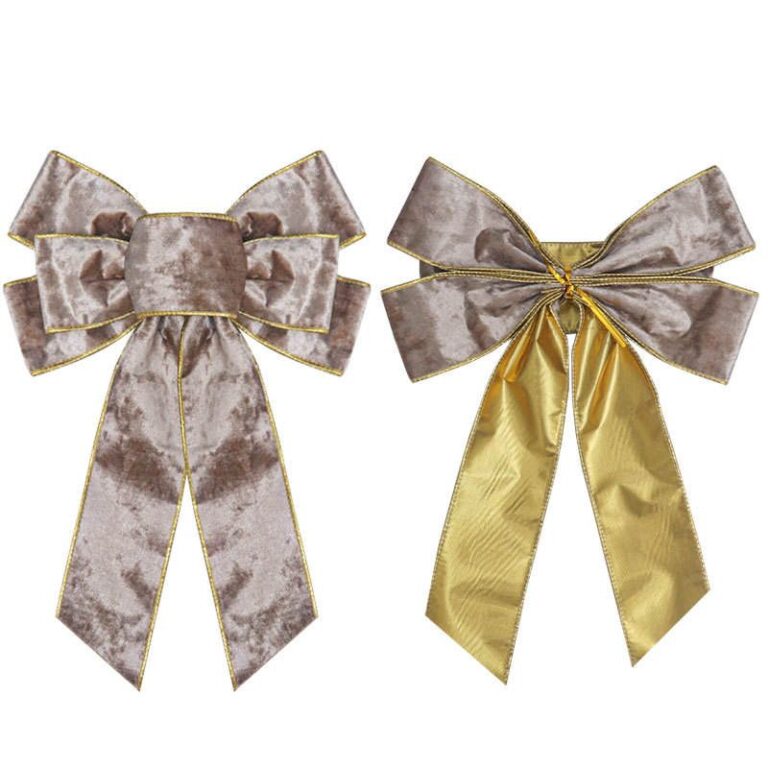 Pre-Tied Bows for Retail Packaging: When They Reduce Labor and Rework
See when pre-tied bows reduce retail packaging labor, improve consistency, and simplify bulk packing, SKU planning, and reorders
Explore guide
Pre-Tied Bows for Retail Packaging: When They Reduce Labor and Rework
See when pre-tied bows reduce retail packaging labor, improve consistency, and simplify bulk packing, SKU planning, and reorders
Explore guide
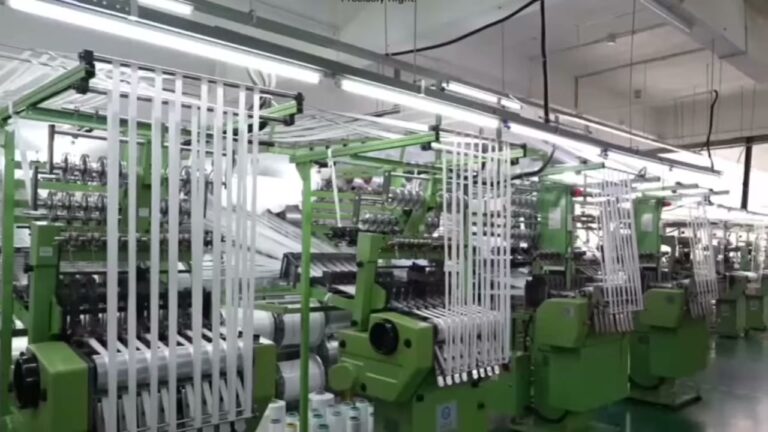 Velvet Ribbon Wholesale Checklist: MOQ, Finish, and Supplier Questions
Evaluate velvet ribbon wholesale options: MOQ, setup fees, unit cost, and packing. Narrow the list before requesting samples…
Explore guide
Velvet Ribbon Wholesale Checklist: MOQ, Finish, and Supplier Questions
Evaluate velvet ribbon wholesale options: MOQ, setup fees, unit cost, and packing. Narrow the list before requesting samples…
Explore guide
 Wholesale Custom Ribbon with Logo: Specs, Roll Length, and RFQ Checks
Step-by-step: Custom Ribbon With Logo. Check artwork files, print method, color target, and sample approval to avoid delays,…
Explore guide
Wholesale Custom Ribbon with Logo: Specs, Roll Length, and RFQ Checks
Step-by-step: Custom Ribbon With Logo. Check artwork files, print method, color target, and sample approval to avoid delays,…
Explore guide
 Wholesale Ribbon By The Roll: Roll length and inventory planning
Evaluate Wholesale Ribbon By The Roll options: factory capability, QC proof, lead time, and reorder reliability. Narrow the…
Explore guide
Wholesale Ribbon By The Roll: Roll length and inventory planning
Evaluate Wholesale Ribbon By The Roll options: factory capability, QC proof, lead time, and reorder reliability. Narrow the…
Explore guide
Leave a comment
Share a sourcing question or feedback on this guide. The Lude team reviews submissions before following up.